FREE ONLINE BRICK BREAKER
BrixBang! – a free brick breaker with a paddle on the right
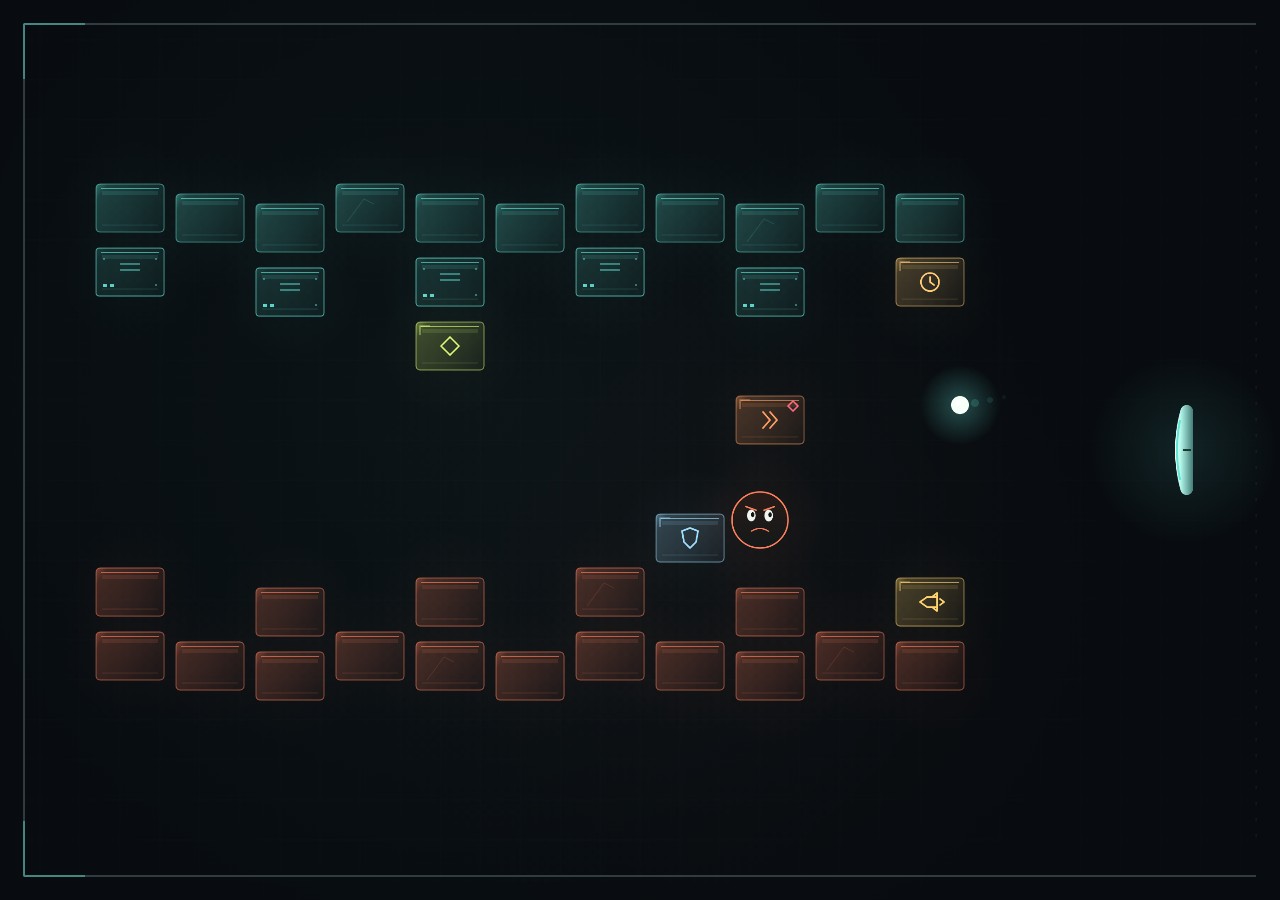
BrixBang! is a free single-player arcade game. Move the paddle on the right to bounce the ball into bricks. Complete 24 levels, catch power-ups and face moving obstacles and tough cores as you progress.
Play BrixBang! free- Genre
- Arcade brick breaker
- Levels
- 24 consecutive levels
- Players
- Single player
- Price
- Free
- Platform
- Web browser
- Languages
- Czech and English
How to play BrixBang!
Press PLAY. The ball waits on the paddle until you launch it. Move the paddle up and down to keep the ball in play.
| Action | Control |
|---|---|
| Move the paddle | Mouse, ↑ and ↓ arrow keys, or W and S |
| Launch the ball and fire rockets | Left mouse button or space |
| Pause | Escape, P or the pause button |
| Lock and release the mouse | Right mouse button; Escape also releases the lock and pauses play |
| Phone and tablet | Touch pad ↕ and the Launch button |
Landscape is more comfortable on a phone. Settings offers fullscreen, reduced effects and sound controls. Music and sound effects have separate controls.
24 levels, three difficulty modes and ten effects
A new run starts at level one with three lives. Destroy every brick in the level, including power-up and penalty bricks. Destroy the cores in the final level too. Completing a level adds one life, up to five. Hit the last remaining brick before its time limit expires.
Choose Relaxed, Classic or Challenge in Settings before starting a new run. Each difficulty mode has its own TOP 10 leaderboard.
The seven power-ups are Magnet, Expand, Barrier, Slow, Bounce preview, Extra life and Rocket. Three penalties add Shrink, Speed-up and Wavering. Catch a falling reward with the paddle to activate it. Open Settings → Power-ups and penalties for the effect descriptions and durations.
A bomb counts down three game seconds after a hit, then damages nearby bricks. Another direct ball hit can defuse it. Rockets fly left from the paddle, destroy bricks and cores in their path and defuse bombs. Pausing stops game time and countdowns.
Saved games and the shared TOP 10
The game saves progress in this browser as you play. Choose Save and suspend while paused to create a separate manual save. Restore a saved run from the opening screen. Saving depends on the browser allowing local storage.
TOP 10 contains results shared by players on the same server. Results are verified before being accepted. Saving a score needs a nickname of 1–5 letters; no account is required. The server leaderboard needs an internet connection. Clearing browser data can remove local progress.
Common questions
Is BrixBang! free and does it need installation?
BrixBang! is free to play directly in your browser. You do not need to install anything or create an account.
Can I play on a phone?
The game includes touch controls for phones and tablets. Use a current browser with JavaScript and Canvas 2D support. Turn your device to landscape for more comfortable play.
How many levels and difficulty modes are there?
BrixBang! has 24 consecutive levels and three modes: Relaxed, Classic and Challenge. Every new run starts at the first level.
Can I save a game in progress?
Yes, when browser storage is available. The game keeps an automatic save and offers a separate manual save while paused. Progress belongs to this browser.
How do I change the language and music?
The flag in the top bar switches between Czech and English. Music and sound effects can be muted separately. The pause screen contains a player for the album Mystery by Tom Vít.